









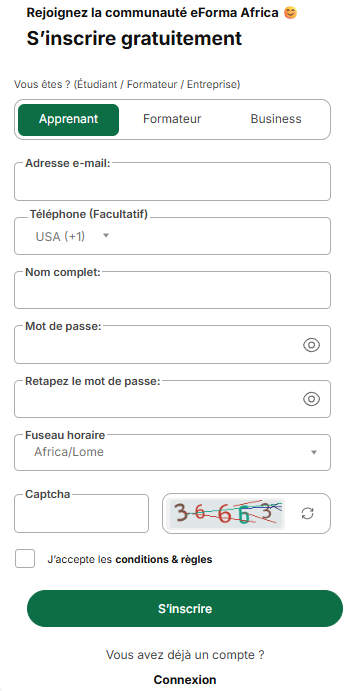
Creating an Eforma Africa account only takes a few minutes.
Steps to follow
- Click on “Sign Up” at the top right of the menu bar or click here
- Choose your profile: Learner; Trainer; Business.
- Enter your email address.
- Enter your phone number if you wish. This field is optional.
- Provide your full name.
- Create your password, then enter it a second time to confirm.
- Fill in the custom field for the certificate. This is the name that will appear on your attestations and certificates.
- Check or choose your time zone.
- Re-enter the displayed captcha code.
- Check the box “I accept the terms & conditions.”
- Click on “Sign Up.”
1 Apr 2026 | 17:42
1
Likes
.svg)
.svg)

.svg)